
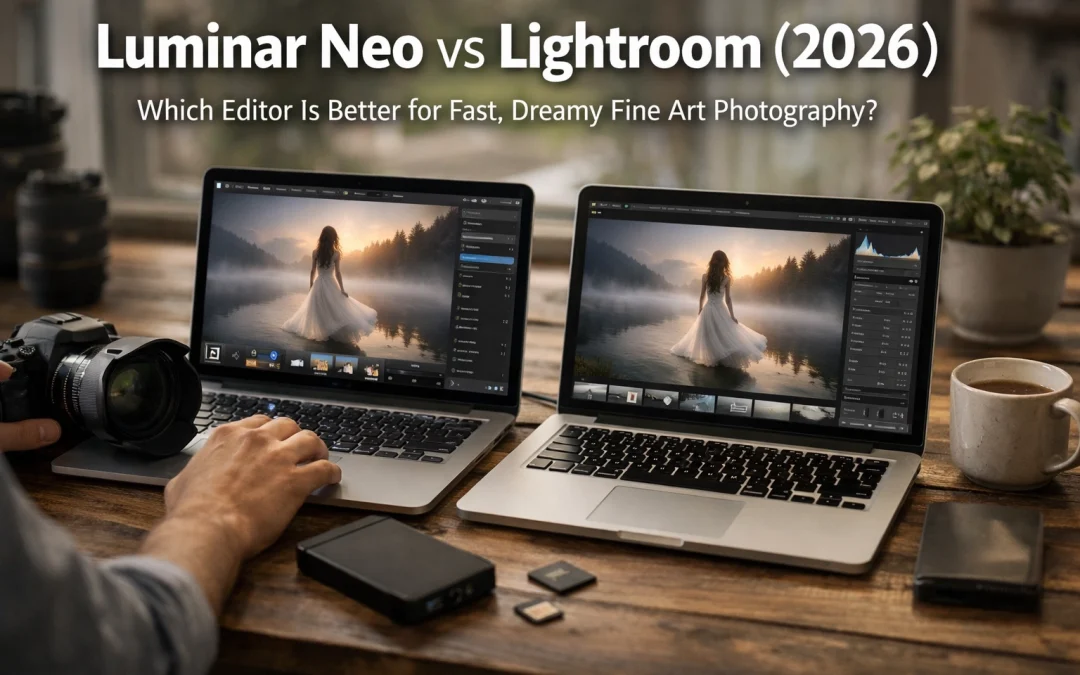
Just as the morning mist clears over a South Beach sunrise, the landscape of photo editing has shifted dramatically in 2026. You aren't just looking for a tool that moves a few sliders anymore; you’re looking for a digital darkroom that understands your creative soul. For those of us in the world of fine art photography, the choice usually boils down to two heavyweights: the reliable, industry-standard Adobe Lightroom and the AI-pioneering Luminar Neo.
If you’ve ever found yourself staring at a RAW file from a Miami sunset wondering how to make it feel as ethereal as it did in person, you’ve felt the tension between these two programs. One is built for the grind of organization and speed, while the other is built to inject magic into every pixel. As you navigate your career, choosing the right one ensures your workflow doesn't just keep up with your imagination: it propels it.
The Fine Art Dilemma: Speed vs. Soul
As a photographer, your time is your most valuable asset. You want to spend it behind the lens at places like the Naples Pier at dusk, not hunched over a keyboard for twelve hours. In 2026, the definition of "fast" has evolved. In Lightroom, fast means you can sync a color grade across 500 photos in seconds. In Luminar Neo, fast means you can perform a complex sky replacement and relight an entire landscape with one click.
For your fine art pieces: the ones you intend to showcase at Edin Fine Art: the "dreamy" factor is non-negotiable. You need soft glows, perfect lighting, and an absence of distractions. This is where the divergence begins.
Luminar Neo: The AI Creative Genius
Luminar Neo has spent years positioning itself as the "creative's choice," and in 2026, it has absolutely nailed the AI-powered workflow. If your goal is to create high-end, gallery-ready art without the steep learning curve of Photoshop layers, this is your playground.
Sky AI and Relighting
We’ve all been there: you wake up at 4 AM, trek to a location, and the sky is a flat, boring gray. While Lightroom allows you to mask the sky and add some blue, Luminar Neo’s Sky AI replaces the entire atmosphere. It doesn't just "cut and paste" a new sky; it uses AI to relight the foreground so the colors of the new sunset reflect naturally off the water or the sand. It makes your Miami Beach sunrise look like a masterpiece, even if nature didn't cooperate.
Generative Erase and GenSwap
One of the biggest hurdles in fine art is the "distraction." A trash can in the corner of a street scene or a stray tourist at the Skate Park in Venice Beach can ruin a shot. Luminar Neo’s Generative Erase is like magic. It doesn't just patch the area; it intelligently fills the space based on the surrounding pixels. It ensures your final image looks intentional and clean.

Alt Text: AI Generative Erase tool removing distractions from a fine art landscape photo at Miami Beach, Florida.
Portrait Bokeh AI
For those of you doing fine art portraiture, the Portrait Bokeh AI is a game-changer. It creates a creamy, dreamy background blur that mimics high-end f/1.2 glass, even if you shot the photo on a budget lens. This tool allows you to isolate your subject with a level of precision that feels incredibly high-end.
Adobe Lightroom: The King of Organization
While Luminar Neo is the artist, Adobe Lightroom is the manager. If you are coming back from a street photo shoot with 2,000 images, Lightroom is where you start. Its Digital Asset Management (DAM) system remains unparalleled in 2026.
Efficiency and Batch Processing
Lightroom’s primary strength is its ability to handle volume. If you need to edit a sunrise photo and apply that look to an entire series, Lightroom’s "Sync" feature is your best friend. Its cloud integration across mobile, tablet, and desktop is seamless, allowing you to cull images while you’re grabbing a coffee in South Beach.
The Ultimate Preset Workflow
One way to bridge the creative gap in Lightroom is through the use of high-quality presets. To get that fine-art look within Adobe's ecosystem, you need a solid foundation. This is why I always recommend the Ultimate Lightroom Preset Collection. It gives you the "dreamy" look quickly, without having to jump into a different program.
Side-by-Side Comparison: Feature Breakdown
To help you decide which tool deserves a spot on your hard drive, let’s look at how they stack up in the categories that matter most to you.
| Feature | Luminar Neo | Adobe Lightroom |
|---|---|---|
| Primary Focus | Creative AI & Fine Art Effects | Organization & Batch Editing |
| Sky Replacement | Industry-leading Sky AI | Basic Sky Masking |
| Object Removal | Generative Erase (GenAI) | Content-Aware Remove |
| Learning Curve | Very Low (Intuitive) | Moderate (Requires practice) |
| Mobile Integration | Limited | Robust Cloud Sync |
| Price Model | One-time purchase or Subscription | Subscription only |
| File Management | Basic | Professional-grade (Cataloging) |
The "Hidden Gem" Strategy: Why Not Both?
Here is the secret that most pros won't tell you: you don't actually have to choose. In my workflow at Edin Studios, I use them as a tag team.
I import my photos into Lightroom for organization and basic color correction. Then, for the "hero" shots: the ones that are going to be printed as fine art: I right-click and "Edit In" Luminar Neo. I use Neo as a plugin to access the Sky AI, the Atmosphere AI (for that gorgeous fog), and the Sunrays tool. Once I’m done, the image saves back into my Lightroom catalog.
This hybrid approach gives you the speed of Lightroom and the creative soul of Luminar Neo. It’s the ultimate way to ensure your work stands out in a crowded market.

Alt Text: Professional photographer's workflow using Luminar Neo as a plugin inside Adobe Lightroom to edit a landscape photo of the Florida Everglades.
Cost vs. Value: The 2026 Reality
Lightroom requires a monthly commitment. It’s a subscription that never ends. For a professional, it’s just the cost of doing business. However, if you are a hobbyist or a fine art photographer who prefers to own your tools, Luminar Neo's one-time purchase option is incredibly attractive.
When you consider the time you save using AI tools to create effects that would take hours in Photoshop, the value of Luminar Neo becomes even clearer. It’s not just about the money; it’s about getting your life back while still producing world-class art.
Creating Art in Specific Locations
Whether you are exploring a hidden gem in Miami or shooting abandoned locations in Florida, your editing style needs to match the vibe of the location.
- For Miami Shoots: You want vibrant colors and clean lines. Use the Miami Self-Driving Photography Guide to find the best spots, and then use Luminar Neo’s Relight AI to manage those harsh midday shadows. If you're looking for a more hands-on experience, my Private Miami Photography Tour is the best way to master these shots.
- For Nature/Everglades: The Everglades Photography Guide will lead you to the gators, but Luminar Neo’s Atmosphere AI will help you add that swampy, mysterious fog that makes a fine art print pop.

Alt Text: Fine art photography of a Great Egret in the Florida Everglades with dreamy AI lighting effects.
Final Thoughts: Which One Should You Buy?
If you are a volume shooter who does weddings, events, or high-volume commercial work, Lightroom is your backbone. You need it for the organization and the batch processing.
However, if you are a fine art photographer: someone who cares about the "feeling" of an image more than the file structure: Luminar Neo is the clear winner for 2026. Its AI tools allow you to explore creative avenues that simply aren't possible (or are too time-consuming) in Lightroom. It allows you to focus on the art instead of the process.
For those who want the absolute best results, I recommend using Lightroom for your base and the Ultimate Lightroom Preset Collection to get your colors right, then finishing your masterpieces in Luminar Neo.
Hence, the "better" editor depends entirely on what you want your day-to-day life to look like. Do you want to be a file manager, or do you want to be an artist? The choice is yours.
For more insights on how to elevate your work, explore our site for a deep dive into hundreds of tutorials and guides. Whether you're swimming with sharks or shooting Cuban cars, we've got the tips to help you make it look legendary.


