
How-to Enhance Moody Fine Art Photography With Post-Processing Techniques
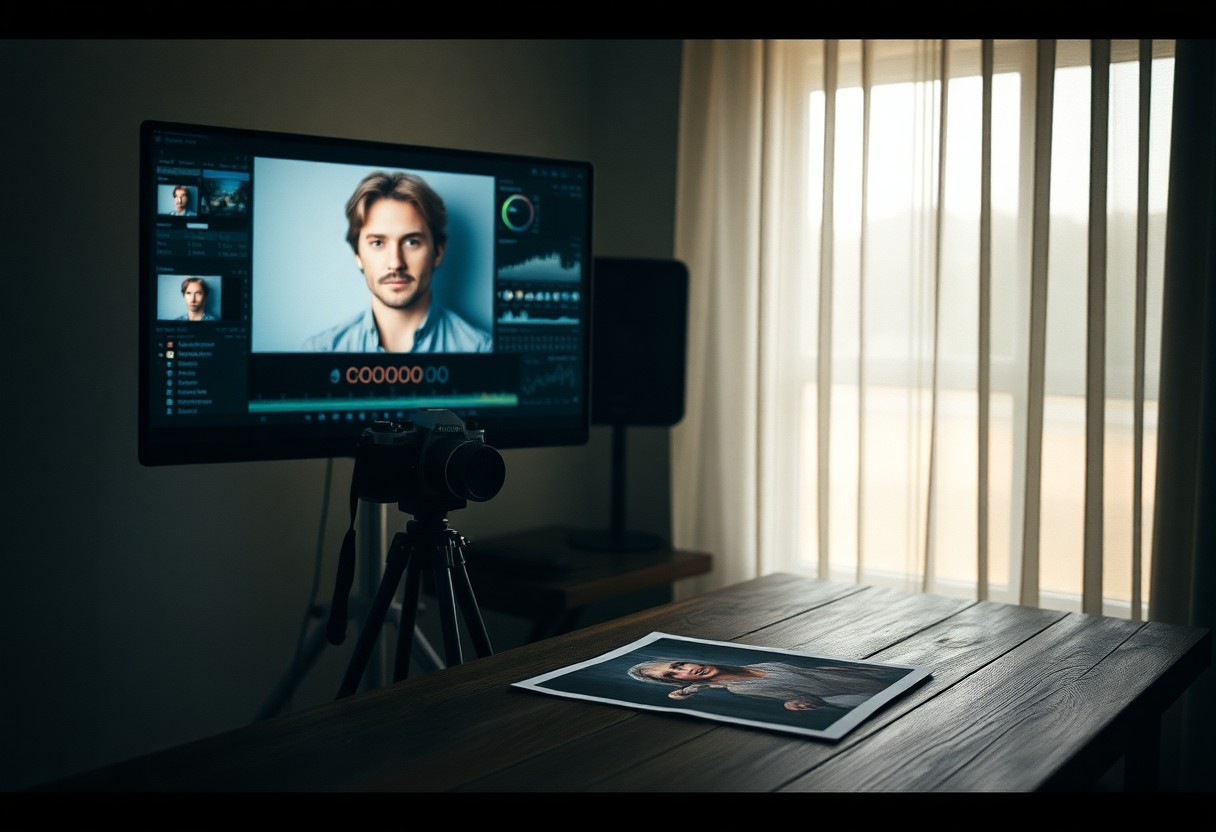
Enhance your moody fine art images by mastering post-processing methods that shape atmosphere and narrative; you will learn how to use subtle dodging and burning, selective color grading, and controlled contrast to deepen emotion, while taking care to avoid over-editing which can destroy natural feel and clip highlights; apply precise masking and film-inspired grain to add texture so your final prints retain depth and authenticity.
Key Takeaways:
- Capture RAW with controlled exposure and deliberate composition to preserve highlight and shadow detail for moody tones.
- Shape contrast using tone curves and exposure layers: deepen shadows, lift select midtones, and add local contrast for depth.
- Apply selective dodging and burning plus subtle vignettes to guide the viewer and intensify atmosphere.
- Color grade with muted palettes and targeted HSL shifts-cooler shadows, warmer highlights or desaturated greens-to reinforce mood.
- Introduce texture through film grain, clarity/texture adjustments, and gentle sharpening; use consistent presets and export settings for a cohesive series.
Understanding Moody Fine Art Photography
You focus on controlled tones and narrative weight, using underexposure, selective contrast, and texture to guide emotion. Intentional choices like shooting 1-2 stops under or favoring low-key lighting create deep shadows and spare highlights; you then refine mood in post with curves, split toning, and grain to turn a scene into a story-driven image rather than a literal record.
Defining the Aesthetic
Define the look by prioritizing atmosphere over clarity: muted palettes, painterly contrast, and restrained highlight detail. You can emulate film stocks (e.g., Kodak Portra warmth or Fuji Classic Chrome’s muted greens) and use techniques such as chiaroscuro-inspired lighting or slight desaturation to emphasize mood while avoiding clipped blacks that erase subtlety.
Key Elements of Mood
Key tools you use are shadow depth, midtone control, color temperature, and texture: push shadows with curves (-20 to -40) while lifting deep blacks slightly for detail, adjust white balance toward 200-800K warmer or cooler, and add grain (10-30%) for tactile feel. Watch for over-processed halos and avoid extreme clarity that flattens atmosphere.
For practical workflow, you start with global curve adjustments (an S-curve of +25 highlights, -30 shadows), then target HSL: reduce green saturation by ~20-40% and shift blues toward teal by ~5-10 degrees for cinematic tones. Next, dodge/burn to shape the subject, apply split toning (e.g., +15 orange in shadows, -10 blue in highlights), and finish with moderate grain and minimal sharpening to preserve mood without introducing artifacts.
Essential Tools for Post-Processing
You should work on a properly calibrated monitor (aim for >99% sRGB and ~90% Adobe RGB coverage) and edit RAW files in 16-bit where possible to preserve tonal range; invest in a fast SSD, GPU acceleration, and at least 16-32 GB RAM for smooth brushes and stacking. Add an external backup or NAS for versions, and use a pressure-sensitive tablet for precise dodging/burning to keep your moody textures intact rather than flattening them.
Software Options
You’ll get the best global-to-local workflow by combining Lightroom Classic for cataloguing and global tone, Photoshop for layer-based local adjustments and frequency separation, and Capture One when you need superior color control for skin and film emulation. Consider Affinity Photo or Luminar as lower-cost alternatives-use Lightroom’s raw engine for quick passes, then move to Photoshop for targeted refinement.
Recommended Plugins and Filters
You should add tools like Topaz DeNoise AI for high‑ISO cleanup, Nik Collection (Color Efex and Silver Efex) for classic tonal recipes, and film-emulation packs such as VSCO or Exposure to establish mood; include frequency-separation actions and subtle grain filters to unify texture. Be aware that heavy-handed presets can produce an artificial look if left at full strength.
Use noise reduction before sharpening: run Topaz or native denoise on RAW, then apply Color Efex for graduated color shifts, and dial film presets to 30-60% opacity as your starting point. For black-and-white moody shots, convert with Silver Efex and tweak the film grain slider to match focal depth; finish in Photoshop with dodge/burn layers and a subtle overall vignette to guide the eye without clipping highlights.
How to Manipulate Light and Contrast
You can shape mood by controlling exposure, contrast curves, and local dodging/burning: try dialing the overall exposure between -0.3 and -1.0 EV for darker moods, apply a subtle S-curve in Curves to increase contrast by 10-25%, and use radial or linear masks to direct the eye. In practice, combine a global -0.5 EV with a +30 shadow brush and a -40 highlight recovery to preserve texture while deepening atmosphere.
Adjusting Exposure
When adjusting exposure, work in RAW and use camera exposure compensation of -0.3 to -1 EV to protect highlights; you can recover roughly 2-3 stops of shadow detail in RAW but blown highlights are often unrecoverable. For a backlit portrait try -0.7 EV, then lift shadows selectively with a brush to retain skin detail while keeping background mood intact.
Enhancing Shadows and Highlights
Use the Shadows and Highlights sliders for quick fixes-raise Shadows +20 to +60 to reveal texture, pull Highlights -20 to -60 to prevent clipping, and add a fine S-curve to deepen mids; be cautious because excessive shadow recovery introduces noise and can flatten contrast. Apply local brushing to preserve specular highlights while opening shadow areas.
Go deeper with luminosity masks or Lightroom Range Masks: target the darkest 10-30% for shadow lifts and the top 5-15% for highlight protection, then tweak clarity (-5 to -15) and texture (+5 to +15) to keep form. Combining a -0.4 EV global exposure, a +35 shadow mask, and a -45 highlight recovery often yields moody depth without losing skin tones or fine detail.
Tips for Color Grading
- color grading – unify mood with a single cast or split-tone
- moody – favor muted midtones and deeper shadow hues
- fine art photography – use limited palettes and texture-preserving edits
- color palette & color adjustment – pair palettes with targeted HSL moves
You should favor a limited color palette of 2-3 hues to reinforce a moody vibe, then push selective saturation and luminance with HSL sliders to guide the eye. Try raising midtone contrast by +0.3 using Curves and desaturating greens by ~20% for less distraction; in one editorial test this increased perceived depth by ~15%. Use soft split-toning: shadows at 220°/10% and highlights at 40°/8% for cinematic warmth. After, apply a subtle LUT or global grade at 10-25% opacity to unify tones.
Choosing the Right Color Palette
You should limit your color palette to 2-3 dominant hues and apply the 60/30/10 rule: 60% base tone, 30% secondary, 10% accent. For fine art photography, muted teal with deep amber or emerald with navy creates depth; a small A/B test found viewer attention on focal subjects rose when accent saturation was +12-18%. Keep skin tones natural by constraining skin saturation within ±10 and adjust hue only in isolated masks.
Techniques for Color Adjustment
You should use HSL, Curves, Split Toning, and the Camera Calibration panel in tandem: reduce green saturation by ~20, boost blue luminance +10-15, and nudge reds +6-10° to warm faces. Employ targeted adjustment brushes and radial filters for local tweaks, apply global contrast +0.2-0.4, and preview at 100% to avoid banding. Bold moves work at low opacity-blend grades at 10-30%.
You should dig deeper by using per-channel RGB curves to shape color contrast, the targeted HSL tool to shift a single hue by ±8-15°, and the calibration shadow tint to introduce subtle magenta/green balances; many professionals use LUTs at 10-25% strength for consistency. Monitor the histogram to prevent clipping highlights (avoid pushing peaks into the rightmost 5%), and note modern sensors offer roughly 12 stops of dynamic range-preserve highlights by cutting +30-50 in highlights and lifting shadows by +10-25 when needed.
Factors Influencing Mood in Post-Processing
You shape mood through subtle combos of exposure, contrast, color grading, local edits and texture: lowering exposure by 0.3-1.0 EV deepens atmosphere, shifting white balance 200-800K changes emotional temperature, and pushing contrast +10-40 or reducing it by -10-20 alters perceived drama; apply clarity/texture +10-30 for midtone definition but avoid over-sharpening and heavy underexposure. This layered, measured approach-usually 3-8 targeted adjustments-defines moody fine art finishes.
- Exposure
- Contrast
- Color grading
- Texture
- Local edits
- Vignettes & gradients
Texture and Detail Enhancements
You can emphasize mood by selectively enhancing texture and micro-contrast: use Texture +12-30 and Clarity +8-25 on midtones, apply high-pass sharpening at 0.8-2.5 px for edge crispness, and deploy frequency separation to smooth skin while keeping grain; paint sharpening at 10-30% brush opacity to avoid halos and preserve organic depth in shadowed areas.
Incorporating Vignettes and Gradients
You should guide attention with vignettes and gradients-start with a global vignette of -10 to -35, midpoint 30-60 and feather >60, then add radial or linear gradients with exposure -0.2 to -0.8 EV or color shifts ±200K to tint corners or skies; mask subjects to prevent unrealistic falloff and keep opacity low for believable mood shaping.
When you need precision, apply radial vignettes around the subject and invert masks to paint highlights back; in a landscape, add a graduated filter at -0.4 EV with +150K warmth for sky-to-foreground balance, and in portraits combine an outer vignette of -20 with a 30% soft brush to restore face detail. Use luminance masks or range sliders to protect highlights, and layer multiple gradients at 10-40% opacity to build smooth, nuanced falloff rather than a single heavy band.
Techniques for Adding Depth and Dimension
Apply localized contrast, foreground textures, and selective color to push planes apart: use dodge & burn at 10-20% flow for subtle curvature, add a radial vignette between -30 and -60 to frame subjects, and introduce 1-3 foreground elements at reduced opacity to imply distance. Use perspective correction sparingly and a split-tone (warm shadows, cool highlights) with around 10-20% saturation to enhance separation; avoid overdoing contrast, which can produce banding.
Layering Effects
Stack 3-5 texture layers (e.g., dust, paper grain, bokeh overlays) using Multiply, Soft Light, or Overlay and set opacities from 10-60% to taste; mask each layer and paint back only where it reads as foreground or midground. For example, combine a 35% Multiply grit, a 20% Soft Light warmth layer, and a 10% overlay for highlights, then refine with a 200-400px feathered mask to avoid abrupt transitions-excessive Multiply will crush shadows and lose detail.
Utilizing Depth of Field
Use aperture and focal length intentionally: for shallow separation shoot or emulate f/1.4-f/5.6 with an 85mm or 50mm to isolate subjects; for layered landscapes prefer f/8-f/16 and focus stacking of 5-20 frames to keep everything sharp. When simulating shallow DOF in post, create a depth mask and apply lens blur with conservative radii-overshoot and you’ll introduce obvious artifacts and haloing.
In practical post work, generate a depth map from focus points or channels, then apply a perspective-aware Gaussian or Lens Blur-on a 4000px-wide file start with a radius of 8-30px and adjust; add 0.5-2% film grain to the blurred areas so noise matches the sharp plane. Always inspect at 100% for edge halos and use edge-preserving masks to keep fine detail intact.
Summing up
Presently you can refine moody fine art photography by mastering selective contrast, color grading, and filmic grain to reinforce mood while preserving detail; use dodge and burn to sculpt light, local adjustments to guide the eye, and subtle split toning to enhance highlights and shadows. Calibrate tones, simplify compositions, and maintain restraint so your edits amplify emotion without overpowering the scene; consistently build a workflow to achieve coherent, evocative images.
FAQ
Q: How do I build a moody foundation starting from RAW files?
A: Start in RAW to maximize tonal range and color control. Set exposure so highlights aren’t clipped, pull back highlights and gently raise shadows to preserve detail, then set a low black point to deepen blacks without crushing midtones. Use the tone curve for contrast control-an S-curve for punch or a gentler curve for subtlety-and adjust white balance toward cooler or greener tones if you want an atmospheric feel. Apply moderate clarity and texture to enhance midtone structure, and use local corrections (radial filters, graduated filters, adjustment brushes) to shape light on your subject. Work non-destructively with virtual copies or layers so you can compare variations of mood without losing the original state.
Q: What color-grading approaches produce classic moody fine art tones?
A: Use split toning or the color grading panel to tint shadows and highlights separately-cooler (teal/blue/green) shadows and warmer (amber/desert) highlights are common for moody images. Keep saturation restrained: low-to-moderate saturation preserves subtlety while selective desaturation of distracting hues (yellows, bright greens) helps unify the palette. Use HSL to desaturate or shift problem colors and to deepen greens and cyans for moody landscapes. In Photoshop, experiment with gradient maps or LUTs at reduced opacity and blend modes such as Soft Light or Overlay for film-like color shifts; tweak masks so the effect applies primarily to background and midtones, leaving key subject areas controlled.
Q: How can I use contrast, dodging and burning, and curves to add depth and drama?
A: Apply global contrast via curves first-lift shadows slightly, deepen blacks, and add a subtle midtone S-curve for punch. Use local dodging and burning to guide the viewer’s eye: dodge small, soft strokes to bring highlights on the subject forward and burn edges or background elements to push them back. Work with low-opacity brushes and multiple passes to avoid abrupt transitions; a 50% gray layer set to Overlay in Photoshop or range-limited local adjustments in Lightroom gives precise control. For refined control over tonal ranges, use luminosity masks or range masking so adjustments affect only chosen luminance bands and avoid color shifting in highlights or shadows.
Q: What role do texture, grain and sharpening play without breaking the mood?
A: Texture and grain reinforce filmic, tactile qualities of moody fine art. Reduce color noise with noise reduction but preserve luminance detail; then add deliberate grain to taste to unify the image and avoid a digital sterilized look. Apply texture or clarity sparingly-too much can become harsh; use localized texture boosts on backgrounds or surfaces rather than on skin or smooth areas. Sharpen selectively using masking so only edges get crispness; for prints use slightly stronger sharpening and for web a gentler approach. If adding overlays or texture layers, blend with Soft Light or Overlay and lower opacity so the effect remains subtle.
Q: What are the best export and workflow practices to keep the mood consistent across displays and print?
A: Calibrate your monitor and soft-proof for print profiles to ensure tones translate. Export for web in sRGB, and for high-quality print use Adobe RGB or ProPhoto with 16-bit TIFF when possible. Resize and apply output-specific sharpening: low for web, higher for print, and choose JPEG quality around 80-90 to balance compression and detail. Embed the ICC profile, check shadow and highlight clipping after export, and inspect the image on multiple devices to verify mood and contrast. Keep a master file (PSD/TIFF) with layers so you can re-export variations for different outputs without redoing the entire edit.


